
Coming soon — the Shopify app is being reviewed on the App Store.

Official Shopify app
The Shopify CMP, without editing the theme
An embedded app, free on Shopify. It links a store to a CookieFort property and injects the widget without changing the theme. Banner, cookies, and Consent Mode stay in CookieFort.
Free app · Admin EN/FR · CookieFort 7-day trial · App Embed

A connector, not an embedded CMP
Shopify does not store the banner. A Property ID and an injection switch are enough: CookieFort loads the widget remotely, through the theme App Embed.
- Free Shopify app, admin in English and French. Copy the Property ID from “Install on site” in CookieFort.
- Banner, texts, styles, cookies, pixels, and Google Consent Mode stay in CookieFort (widget.js).
- A CookieFort subscription is required (7-day trial on self-serve plans). An inactive subscription blocks injection.
- Tracking mode (GTM or GA4) and Consent Mode Basic / Advanced are chosen in the CookieFort dashboard, never in the Shopify admin.
Install path
- Create the account and the property, then configure the banner, GTM or GA4, and Consent Mode in the CookieFort dashboard.
- Copy the Property ID from “Install on site”.
- Install CookieFort from the Shopify App Store and open it in the admin. One install only: the checkout pixel is not a second app.
- Paste the Property ID, choose Connect the store, and leave injection on.
- Turn CookieFort on in the theme editor: App embeds → Consent scripts → Save. The banner appears only after that save.
- Turn off the Shopify cookie banner (Settings → Customer privacy).
- GTM mode only: copy the app’s “Checkout GTM” snippet and paste it once in Settings → Customer events → Custom pixel (Analytics permission, then Connect). Do not paste it in theme.liquid. In GA4 mode this step does not exist: the app pixel connects on its own when injection is on.
Turn off Shopify’s native banner (Settings → Customer privacy). Otherwise visitors see two interfaces, and the states can contradict each other.
Why CookieFort on Shopify
- - No snippet to maintain in the theme. Banner and pixel updates happen in CookieFort.
- - Consent-aligned ecommerce measurement, from the catalog through to purchase.
- - Shopify checkout, isolated from the theme, stays in the funnel through the Customer Privacy bridge.
- - Admin in English and French. Banner texts are managed in CookieFort.
Ecommerce events
Two Shopify surfaces. The storefront goes through the App Embed. Checkout and the thank-you page do not show the CookieFort banner: Shopify does not run the theme there.
Storefront (App Embed)
- view_item_list
- view_item
- view_cart
- add_to_cart
- remove_from_cart
Checkout and thank-you page
- begin_checkout
- add_shipping_info
- add_payment_info
- purchase
view_cart fires on the /cart page and in the cart drawer. purchase is sent once: a reload does not send it again.
Storefront: events land in the dataLayer, then the GTM container, or through the widget’s GA4 path. The queue releases when Consent Mode is ready. A 2-second fallback does not record any consent choice.
GA4 checkout: the app pixel connects on its own when injection is on and sends to Google. In GTM mode, the “Checkout GTM” snippet is pasted once in Customer events; the app pixel stays connected and does not send a second hit.
Checkout hits fire only if Shopify allows analytics. GTM preview does not see checkout: check with the Shopify Pixel Helper and the Network tab.
The visitor’s choice is passed to Shopify Customer Privacy. Accepted: analytics, marketing, and preferences allowed. Refused: everything denied. Partial: analytics and preferences allowed, marketing denied.
No customer email or name is sent to Google.
Preview
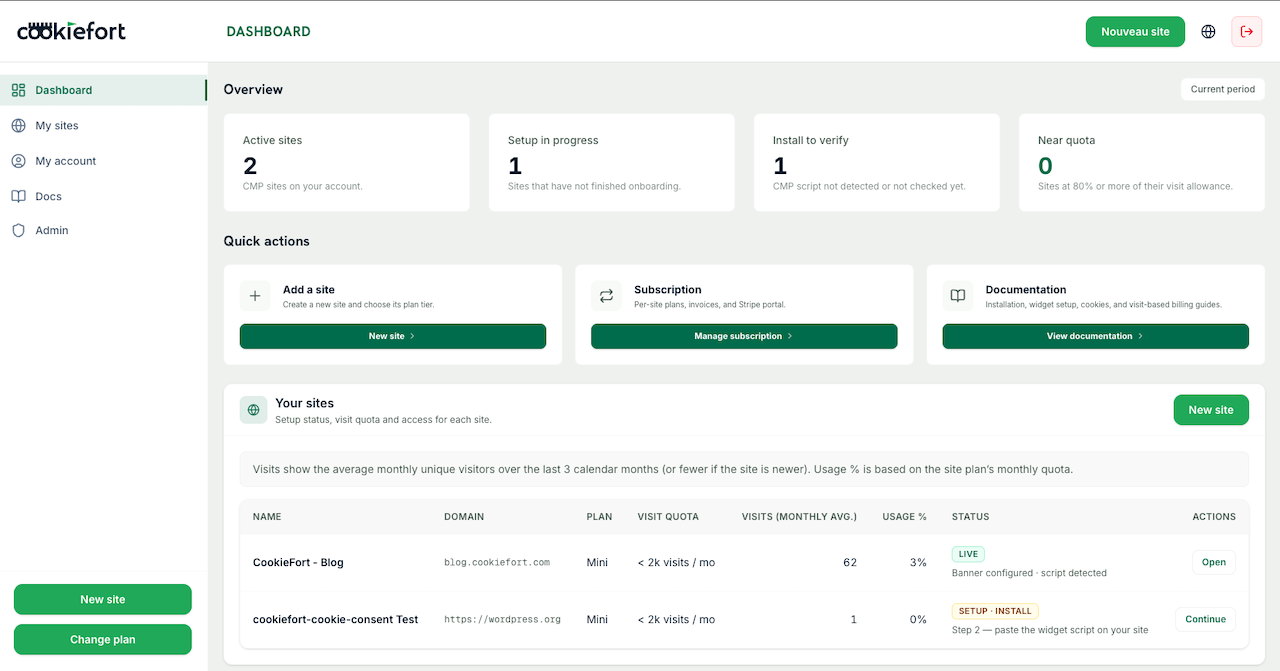
Shopify admin (Property ID and injection) and the CookieFort dashboard where the CMP is configured.
Requirements and limits
- - Free Shopify app and a CookieFort property with an active subscription.
- - Installing the app does not make the store compliant: categories, tracking, and cookies are configured in CookieFort.
- - The App Embed must be enabled and saved, otherwise there is no banner.
- - One property per store. No markets and no multiple Property IDs in this version.
- - No CookieFort banner on /checkouts or the thank-you page.
- - The GTM container must use a real Measurement ID (G-…).
Validation checklist
- - The banner shows on the store’s first load, after the App Embed is saved.
- - Accept, refuse, and configure work, as does reopening.
- - The dashboard detects the installation.
- - After consent, storefront events fire (dataLayer, then GA4).
- - A checkout journey sends purchase only once.
- - A refusal on the storefront blocks checkout collection.
- - Shopify’s native banner is turned off.
Frequently asked questions
Do I need a CookieFort account?
Yes. Without a Property ID and an active subscription, the widget is not injected.
Do I paste a script in the theme?
No. The App Embed does that. The checkout GTM snippet, when you need it, goes in Customer events, not in theme.liquid.
Where do I choose GTM, GA4, and Consent Mode?
In the CookieFort dashboard. The Shopify admin does not offer that choice.
Does the banner show at checkout?
No. The choice made on the storefront is passed to Shopify, and the checkout pixels read it.
Is the admin bilingual?
Yes, English and French. Banner texts are managed in CookieFort.
Ready to connect CookieFort on Shopify? Create your account, copy the Property ID, then install the app.