

PrestaShop Addons module
CMP + consent-aware GA4 ecommerce
A lightweight connector module — not a full CMP inside PrestaShop. Property ID, GDPR banner injected, and GA4 ecommerce events queued until the consent update. Store measurement and compliance stay in CookieFort.
PrestaShop 8–9 · Addons module · CookieFort 7-day trial · Module BO EN/FR

A connector, not an embedded CMP
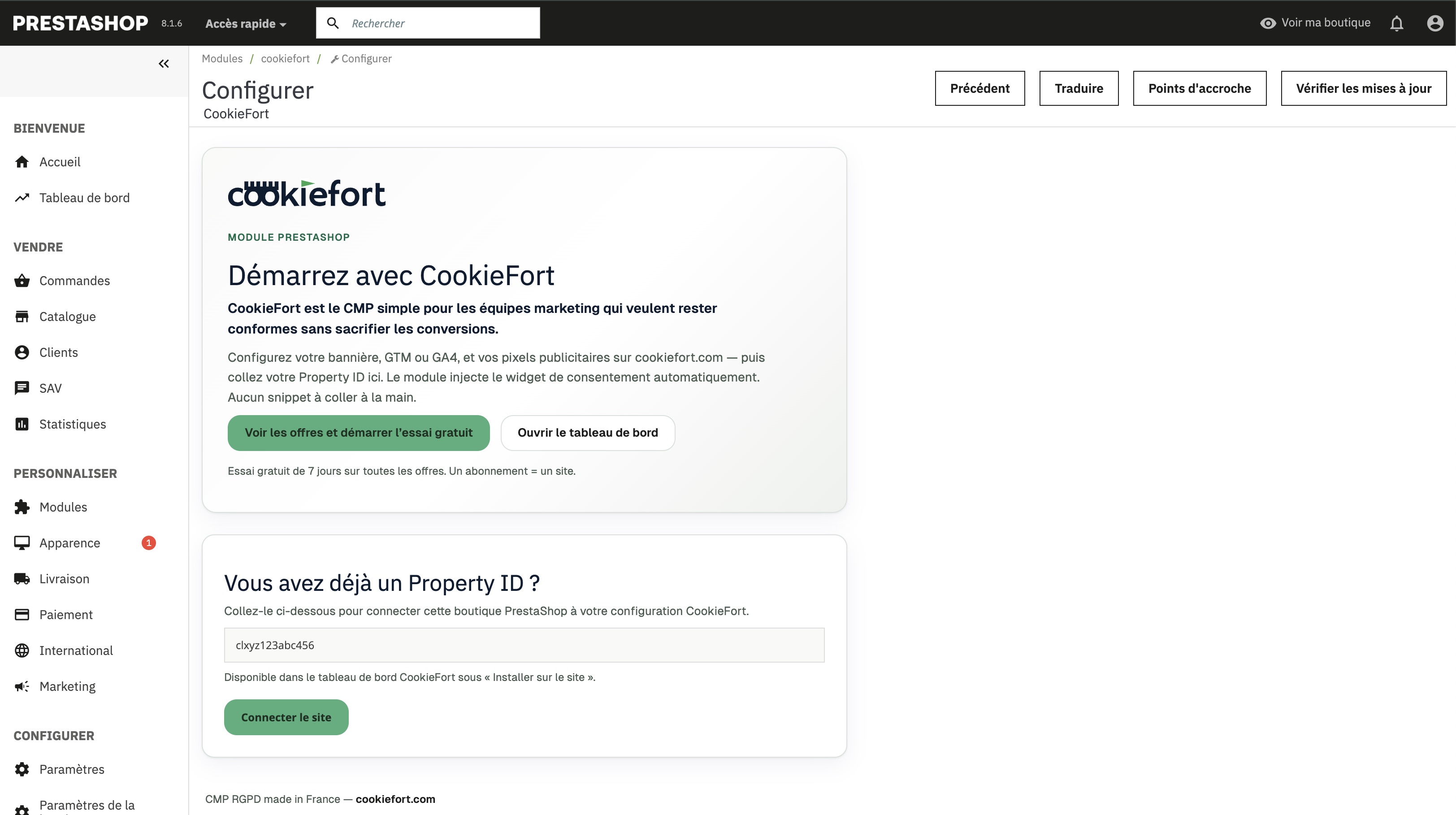
PrestaShop only keeps the Property ID and ecommerce queue. Banner, categories, and Consent Mode stay in CookieFort — marketplace install without touching the theme.
- One Property ID in the back office — no theme snippet to paste or maintain.
- The CMP is loaded remotely by the CookieFort widget (not a heavy CMP inside the module).
- Widget updates ship from CookieFort; the Addons module stays a thin bridge to your shop.
- Install and update from PrestaShop Addons without changing store code.
In 4 steps
- Create a CookieFort account and add your store (Property) in the dashboard.
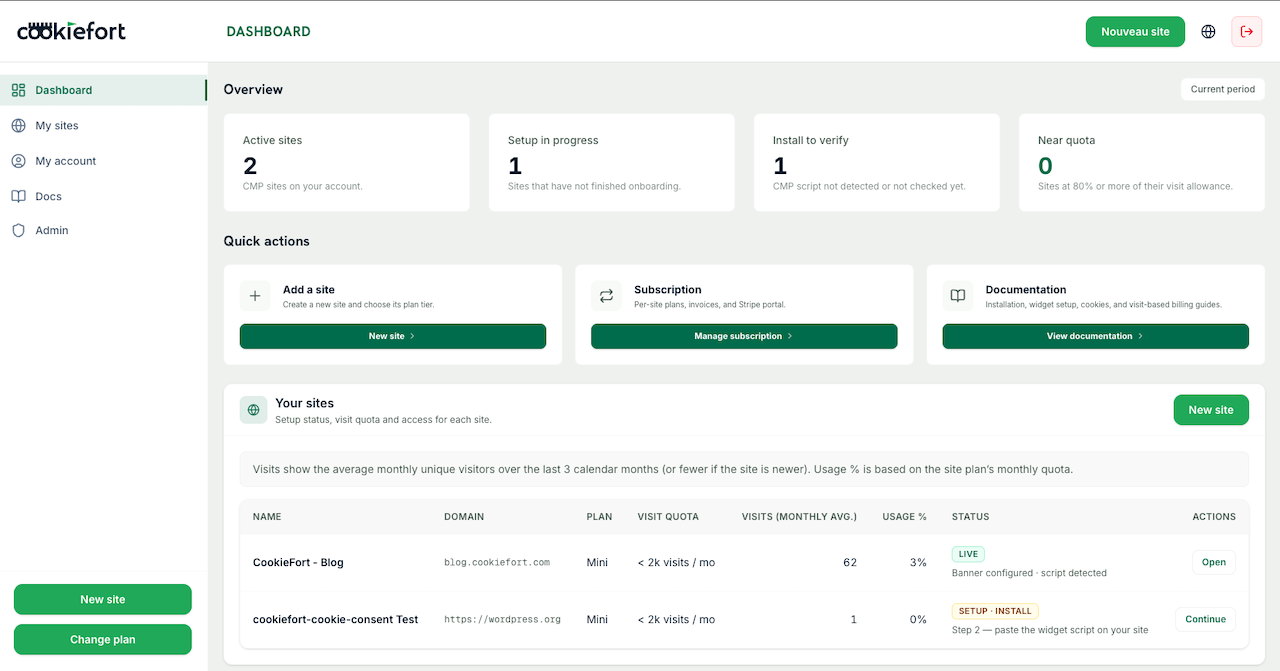
- Configure the banner and tracking mode (GTM or GA4); choose Consent Mode Basic or Advanced in CookieFort.
- Install the CookieFort module from PrestaShop Addons and enable it in the back office.
- Paste your Property ID in the module settings, save, then verify “installation detected” in the dashboard.
Why CookieFort for your shop
- - Consent-aware GA4 ecommerce measurement — nothing fires before the visitor chooses.
- - Event queue until the consent update: less data loss after Accept.
- - Full funnel covered: catalog → cart → checkout → purchase (9 GA4 events).
- - Consent Mode Basic / Advanced in the CookieFort dashboard — no re-coding in PrestaShop.
- - Lightweight connector + module back office EN/FR; banner and i18n via CookieFort.
- - Compatible with PrestaShop 8.0 to 9.x · CookieFort 7-day trial on self-serve plans.
GA4 ecommerce events covered
Events stay queued until the consent update, then fire — a core Addons-module benefit for store measurement.
Catalog
- view_item_list
- view_item
Cart
- view_cart
- add_to_cart
- remove_from_cart
Checkout
- begin_checkout
- add_shipping_info
- add_payment_info
Purchase
- purchase
Preview
PrestaShop back office (Property ID) and the CookieFort dashboard for CMP and tracking.
Requirements and limits
- - Addons module (marketplace price) plus a CookieFort subscription with Property ID.
- - Installing the module alone does not make your shop compliant: configure categories, tracking, and cookies in CookieFort.
- - Multishop: global configuration only — no per-shop settings.
- - Consent Mode Basic/Advanced is chosen in the CookieFort dashboard, not in the PrestaShop module.
Validation checklist
- - Banner appears on first load.
- - Accept / Refuse / Configure work correctly.
- - Preferences can be reopened (floating button or /#cookiefort-manage-cookies).
- - Dashboard detects the installation.
- - After analytics/marketing consent, GA4 ecommerce events fire correctly (GA4 debug / Tag Assistant).
Frequently asked questions
Do I need a CookieFort account?
Yes. The PrestaShop module injects the widget and ecommerce queue from your CookieFort Property ID.
Which GA4 ecommerce events are covered?
view_item_list, view_item, view_cart, begin_checkout, add_to_cart, remove_from_cart, add_shipping_info, add_payment_info, and purchase. They stay queued until the consent update.
Does the module support multishop?
Module configuration is global only (no per-shop settings). One CookieFort Property per domain / measurement context is still recommended.
Where do I choose Consent Mode Basic or Advanced?
In the CookieFort dashboard (Installation step). The PrestaShop module does not expose that choice; the widget applies the config and the module waits for the consent update before sending ecommerce events.
Is the back office multilingual?
Yes: module UI in EN and FR. Banner texts are managed in CookieFort (FR/EN and overrides).
How much does it cost?
The module is sold on PrestaShop Addons (marketplace pricing). Using the CMP requires a CookieFort plan (7-day trial on self-serve plans).
Ready to connect CookieFort on PrestaShop? Install the Addons module, create your account, then paste the Property ID.